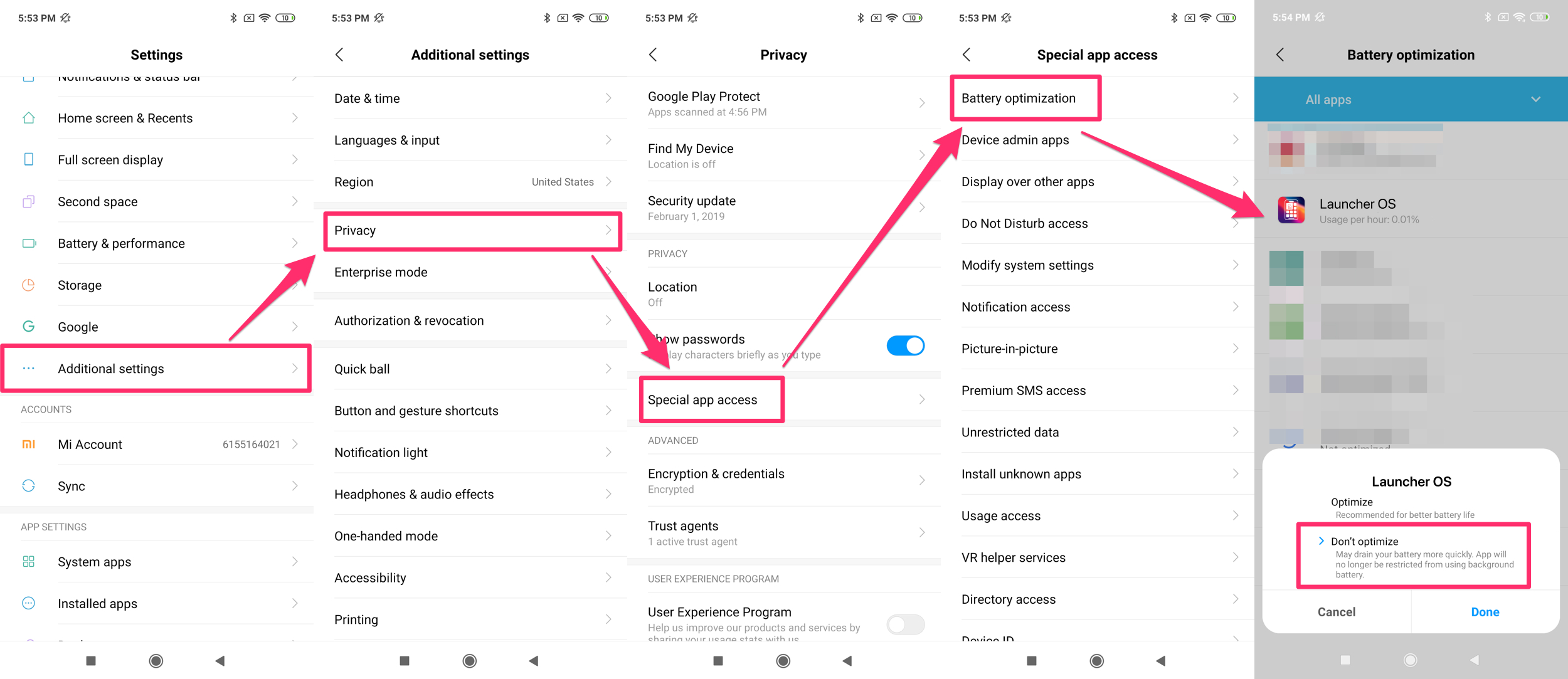
If "Battery optimization" is on, exclude Alarm Clock from the list.
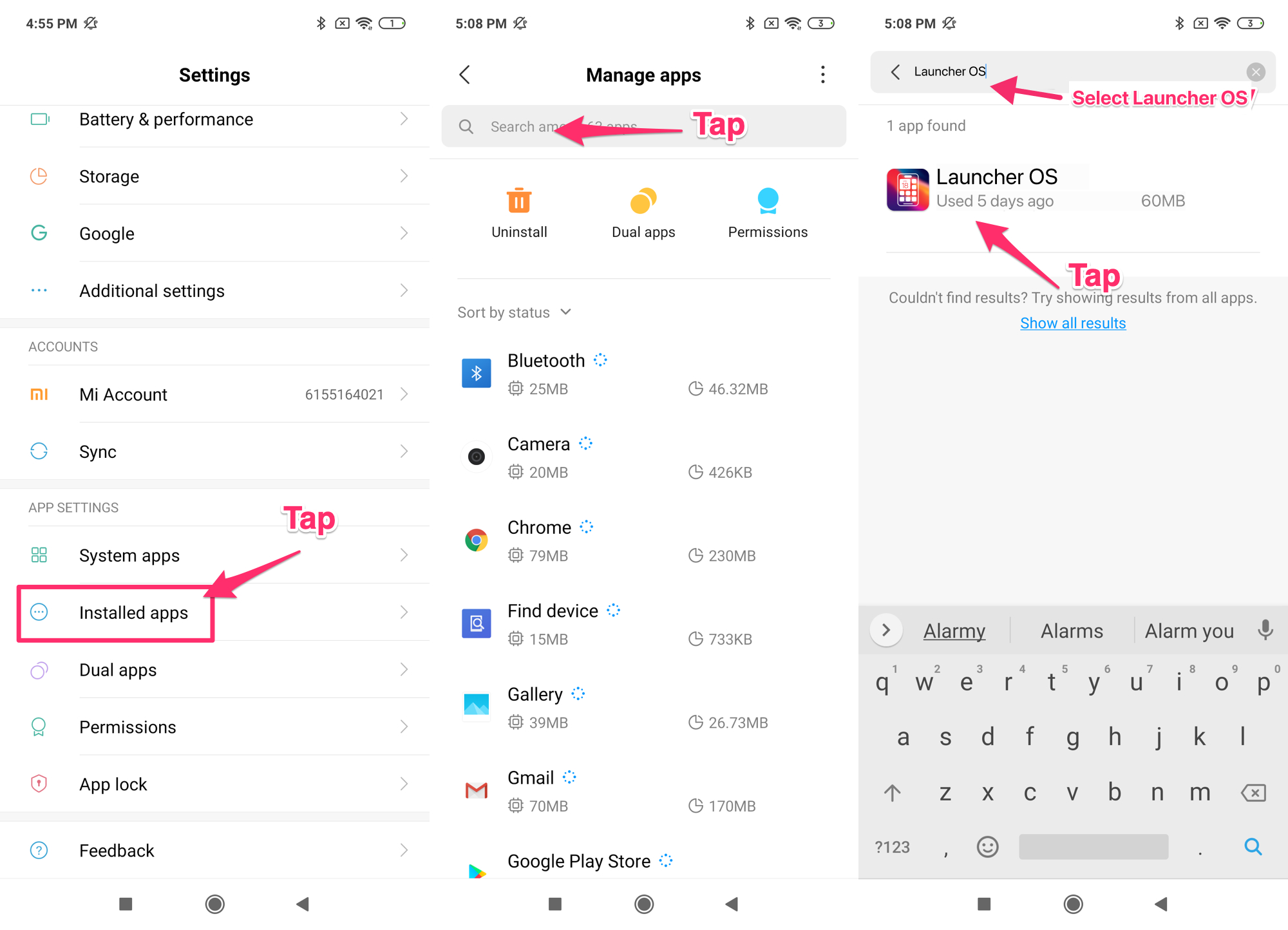
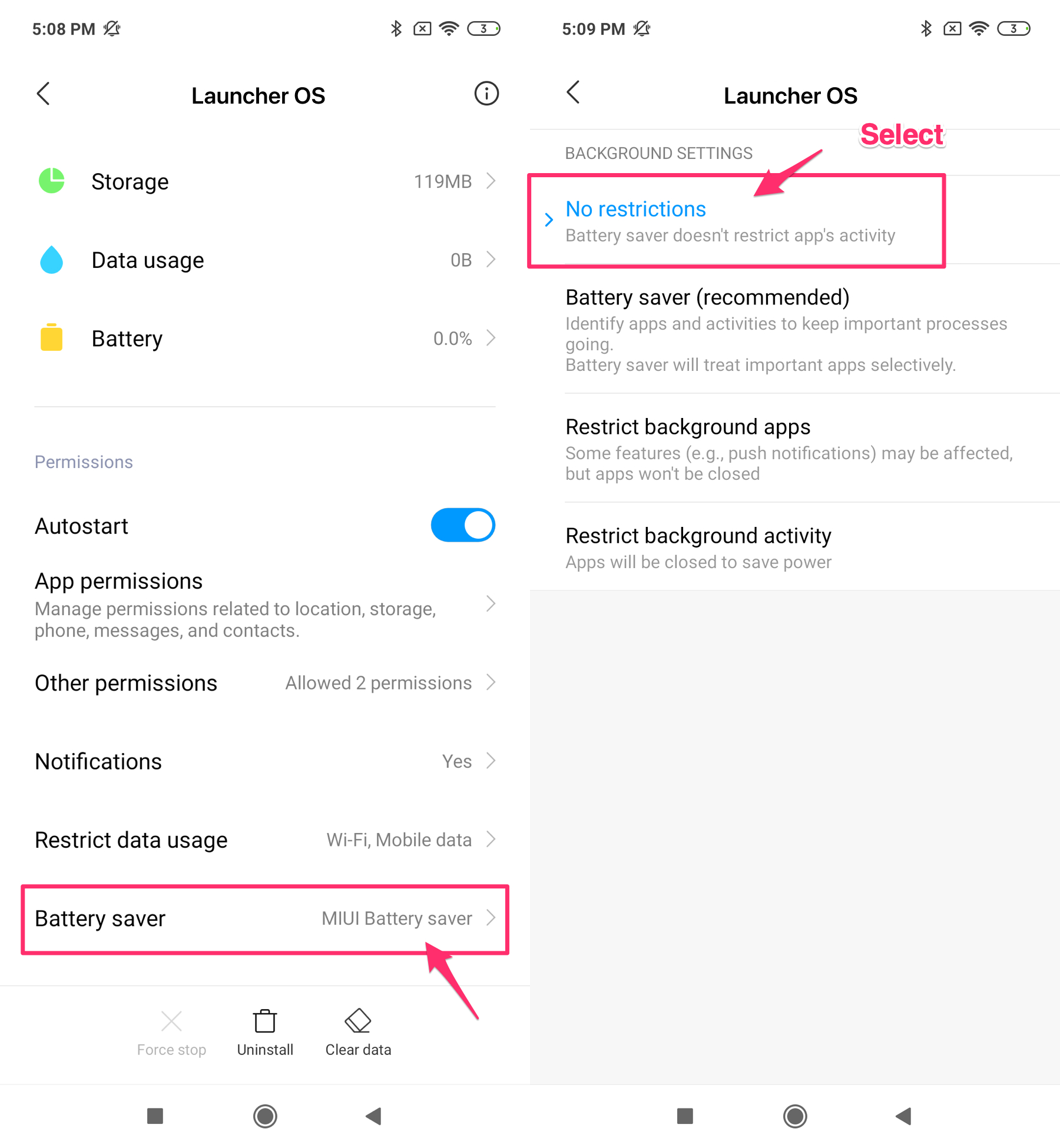
Then, go to the Alarm Clock app information page in the Settings.
Change "Battery Saver" setting to "No restrictions"
If you are using battery or memory-saving applications, please exclude Alarm Clock from the list or do not use the applications.
Leave your phone charged while you are sleeping.
2) Keep memory for Alarm Clock
⭐️Please clear your recent app list on the phone. (However, please note that alarms may not ring after executing the memory freed up function.)
Do not use auto-reboot if you are using screen lock (e.g. password, pattern, and so on). Alarms cannot ring unless the screen is unlocked at least once after reboot.
3) Let Alarm Clock make sound
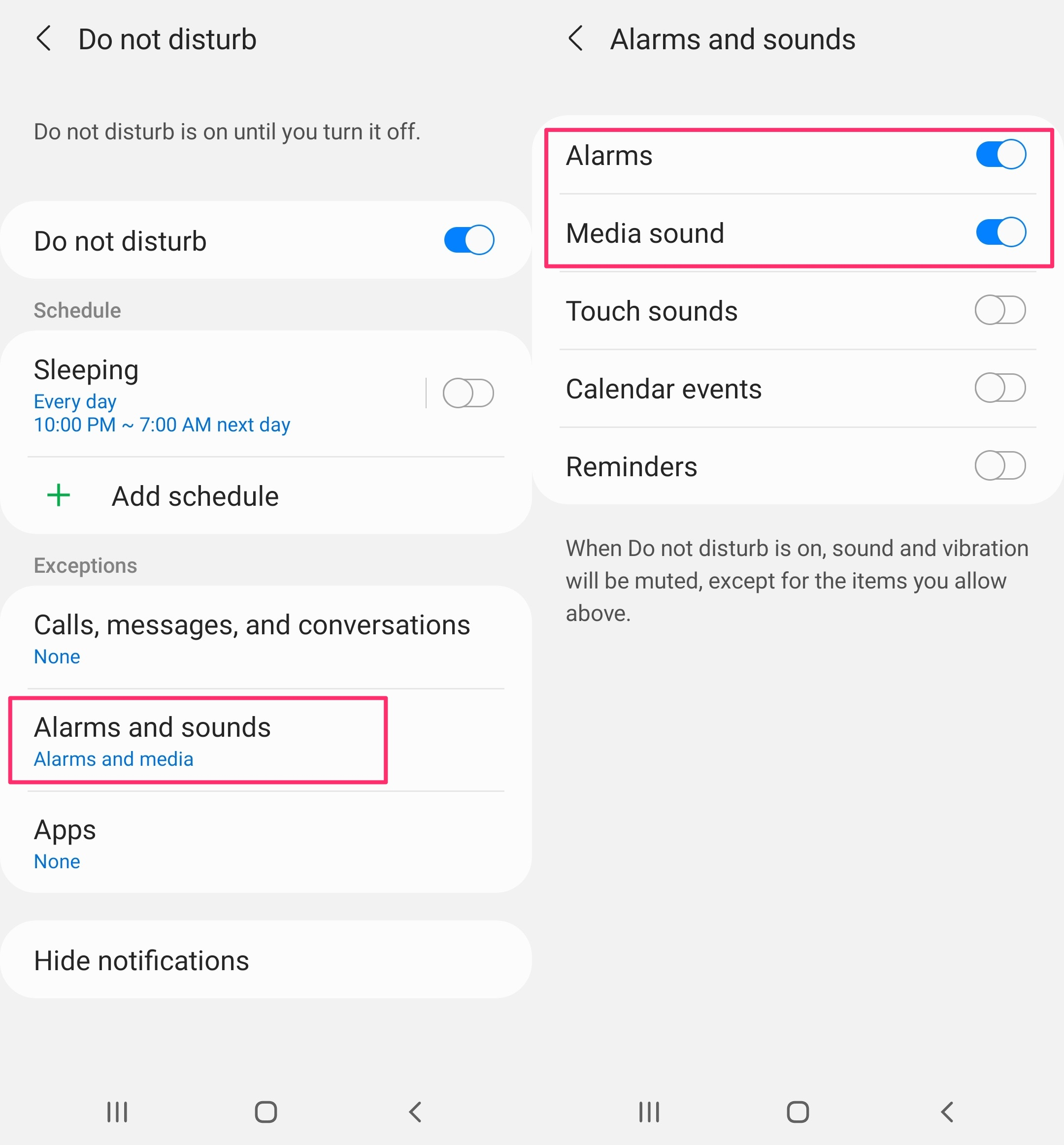
When you use “Do not disturb”, please allow alarms and media sounds. Otherwise, it will not ring. (Menu titles in Settings may vary by OS version, manufacturers, etc.)
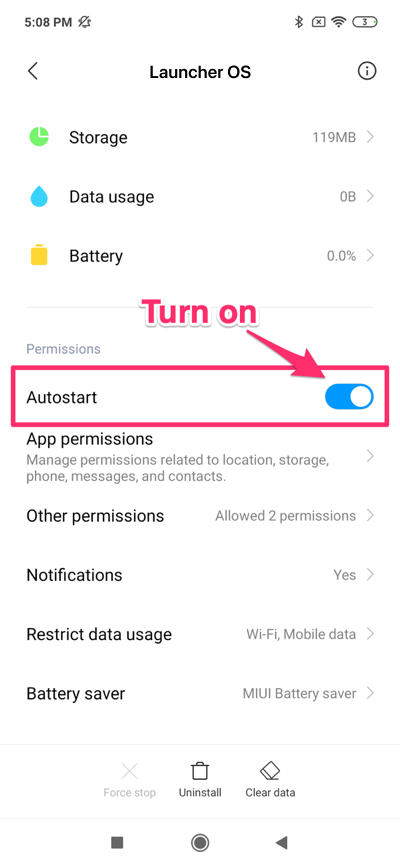
4) Let Alarm Clock autostart
Please grant the autostart permission to Alarm Clock.
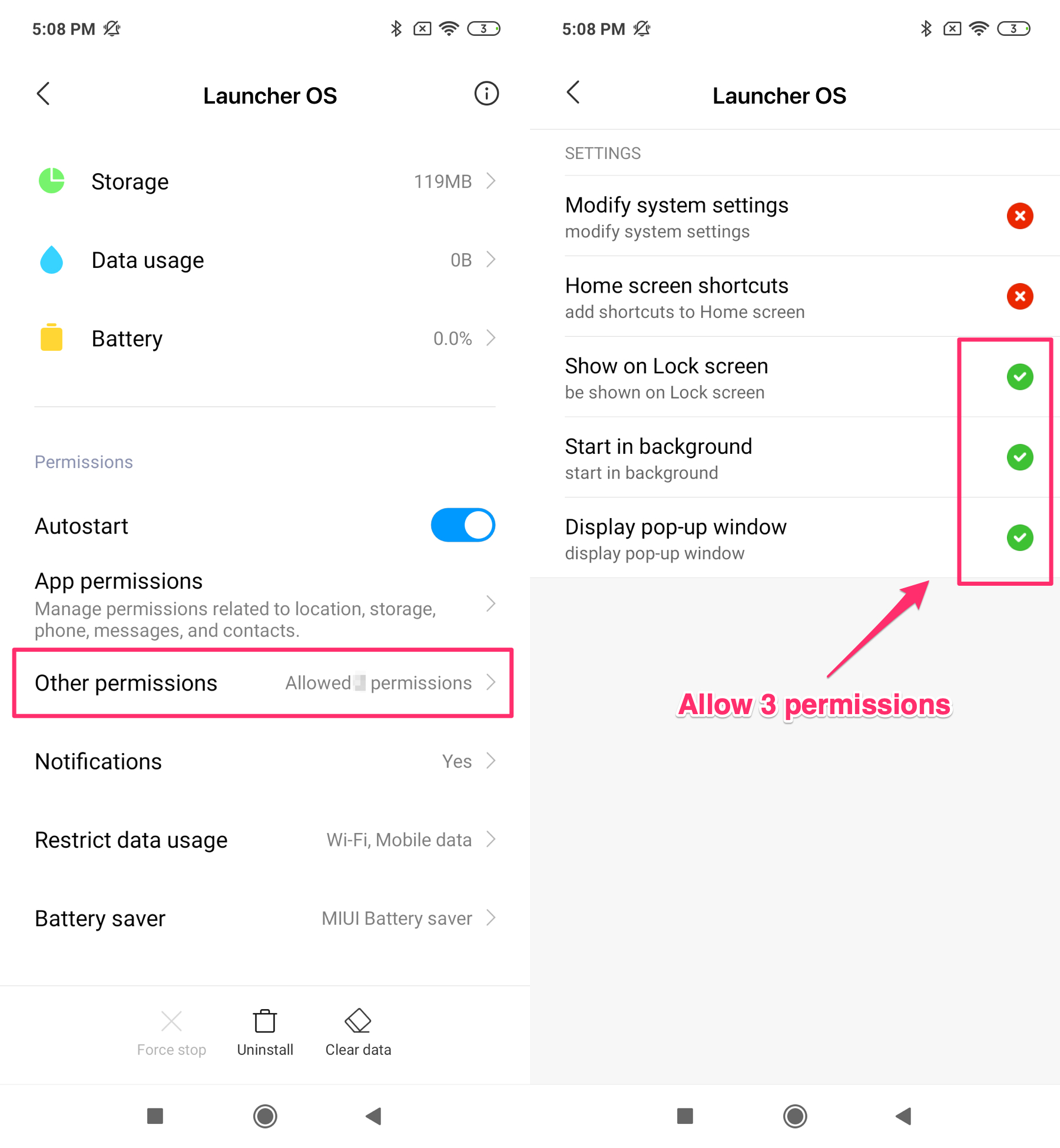
5) Let Alarm Clock appear on top
Please allow extra permissions for Alarm Clock to use the app properly.